Start with the topology
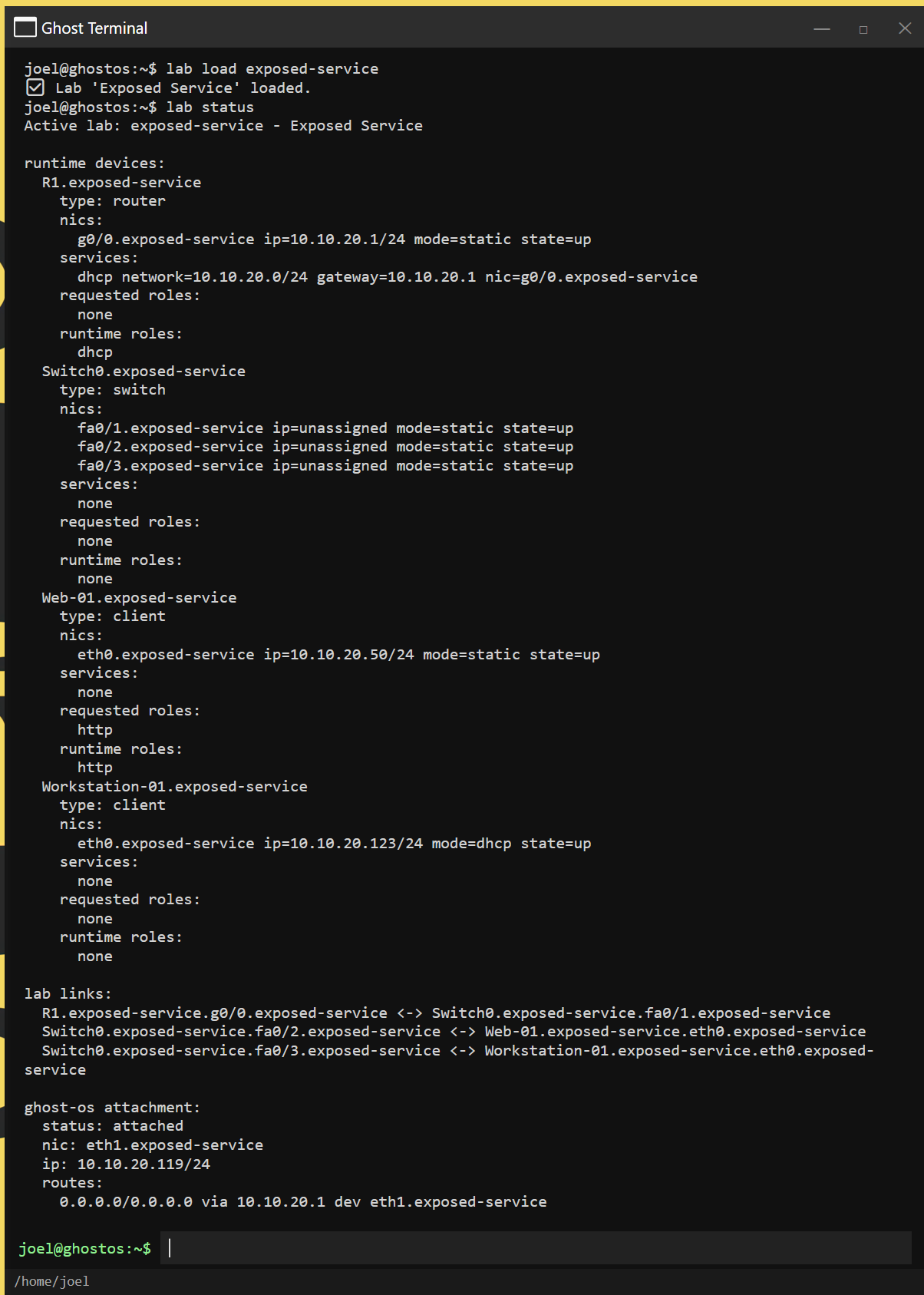
A lab is a connected environment: clients, servers, routers, switches, network interfaces, and links. An interface has an address, subnet, and operational state. A switch provides local connectivity; VLAN membership can separate local broadcast domains. A router provides paths between reachable networks. The existence of a server alone does not make it reachable.
Static addressing and DHCP give you different ways to configure a client. Inspect the interface, its address, and the route before investigating an application. Supported wireless scenarios also model scanning, association, and DHCP. wifi scan and wifi status describe the simulated wireless environment, rather than your Windows Wi-Fi connection.
Separate name, path, policy, and listener
DNS answers a naming question: which address belongs to a name? ARP relates a local next-hop IP address to a network interface address. Routing selects the path. A firewall can allow or block traffic. NAT scenarios model address translation. Finally, the destination must have a suitable service listening on the requested port.
GhostFrame checks simulated traversal, routes, listeners, and policy when modeling connection outcomes. A successful ping does not prove HTTP is available. A DNS failure does not prove the server is down. An open TCP port does not prove that every possible protocol feature is implemented.
Use several views of the same connection
arp shows learned local address relationships. ss and netstat report supported simulated listeners and sessions. nmap probes the supported service surface; its output reflects the simulation rather than the full capabilities of the external Nmap tool. Supported tcpdump views provide bounded packet observations, rather than an unrestricted live capture or Wireshark replacement.
Service roles include DNS, DHCP, HTTP, remote access, FTP, and mail, with additional bounded protocol exercises. A topology only exposes the roles it actually enables. Generated device-shell views and available commands vary by profile, so inspect the active lab and in-app help.
Learn from the failure
Build a checklist: is the interface up, does it have an address, is there a usable route, can the name resolve, does policy permit the traffic, and is the listener active? Change one permitted setting at a time in a disposable practice scenario, then repeat the same probe. That connects a visible outcome to its cause.
The lab network is simulated. Optional model downloads, configured package-metadata repositories, and intentionally opened external links are separate uses of real network resources. Read the privacy policy for the current beta’s data flows.